
Keeping track of your expenses, payments, and dues is driving you crazy?
Save your expenses and payments on PAYMIND and be relieved!!


Keeping track of your expenses, payments, and dues is driving you crazy?
Save your expenses and payments on PAYMIND and be relieved!!
Everyday payments, expenses, and dues are very hard to remember continuously. Whether these expenses are related to work, household, or others, PayMind will keep track of them for you by a few clicks.
Using PayMind, you can manage and view all the following features.
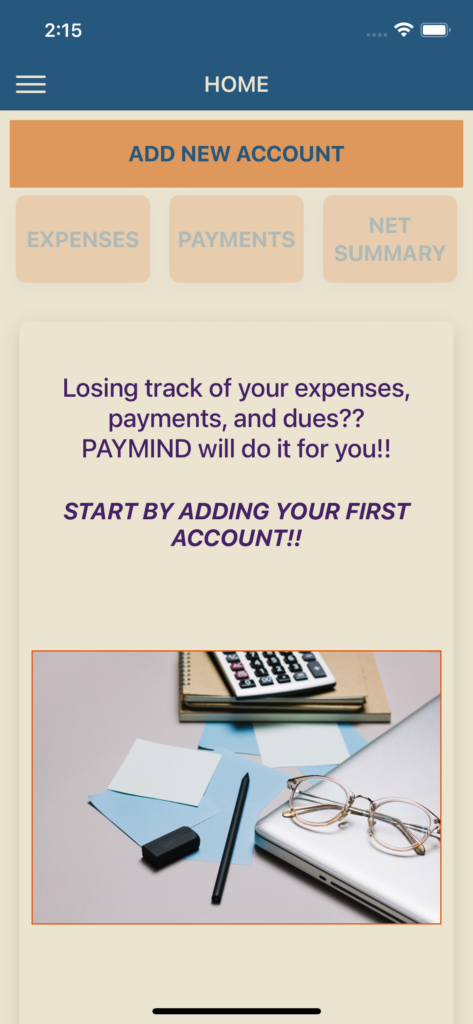
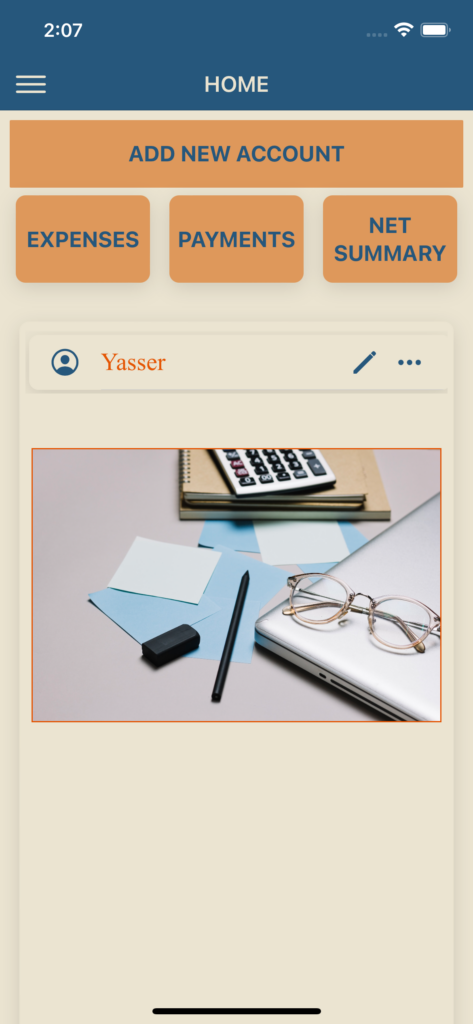
This is the startup application screen, where for a first time user, you will be asked to add at least one account. otherwise, a list of all accounts saved in your application are displayed. You can add new accounts, edit, or delete existing ones at any time later. For each account, you can simply click on it and go to all the data you need related to that account including expensese, payments, or their net summary.
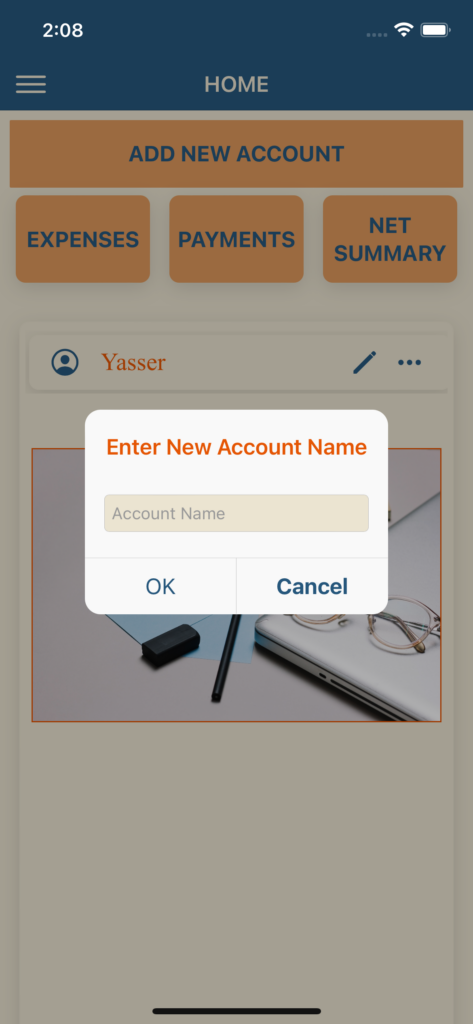
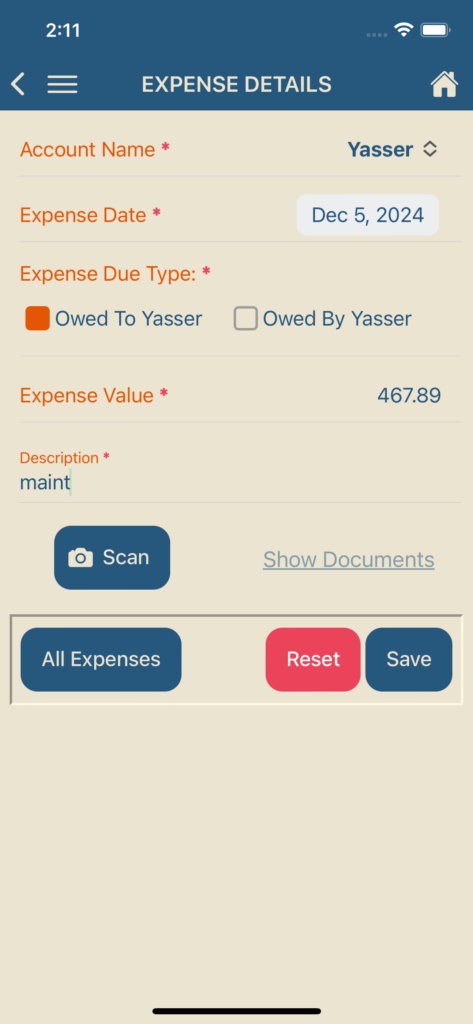
After creating your accounts, you can start adding new expenses either owed by or to those parties, along with all their details (date, amount, description,…etc). You can also save images of receipts and related documents for each specific expense.
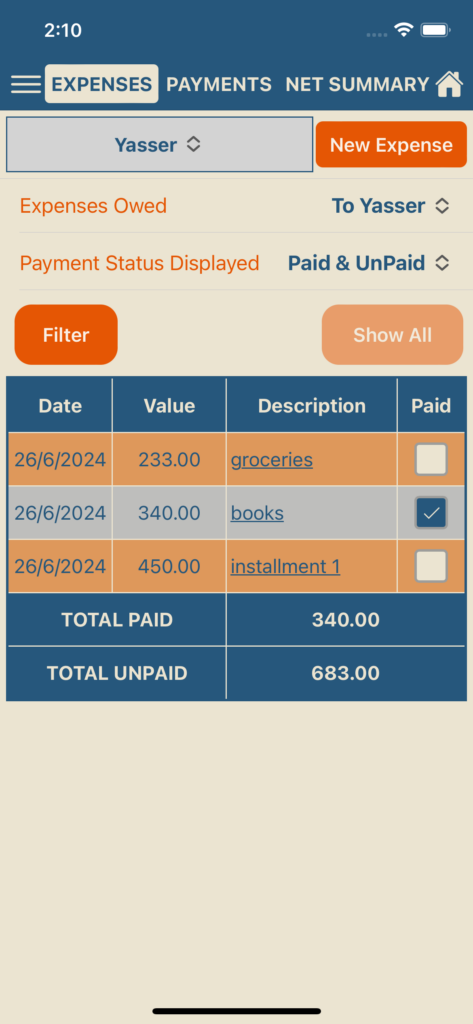
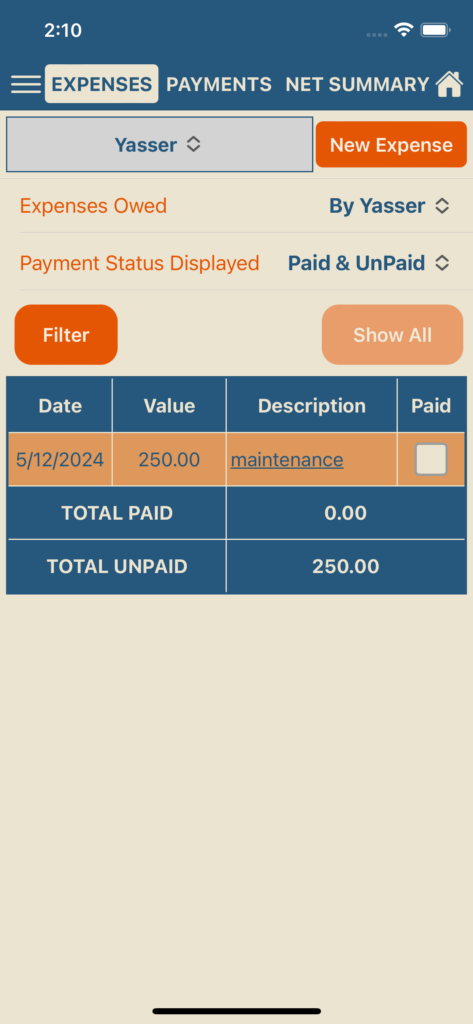
For each account/party added, a list of all its expenses (either owed to / owed by) is displayed on your “EXPENSES” screen, with being able to edit/delete any saved expense. You will find a Payment Status checkbox for each expenses which you can easily check if the expense is paid. Changing the payment status between paid and unpaid is also available by checking or unchecking the box.
You can filter out displayed expenses either by their date (using the Filter button) or by their payment status (by choosing the status to display). This will simplify your search for a certain expense or your general view of expenses.
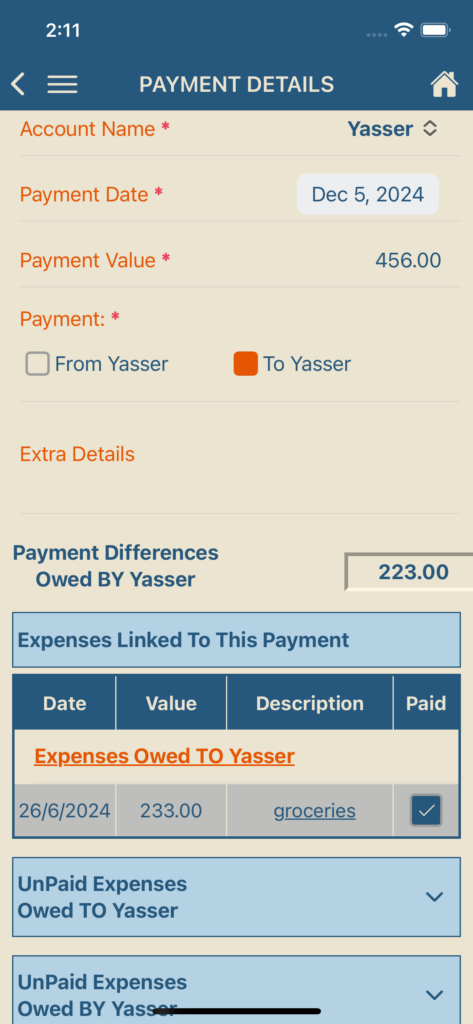
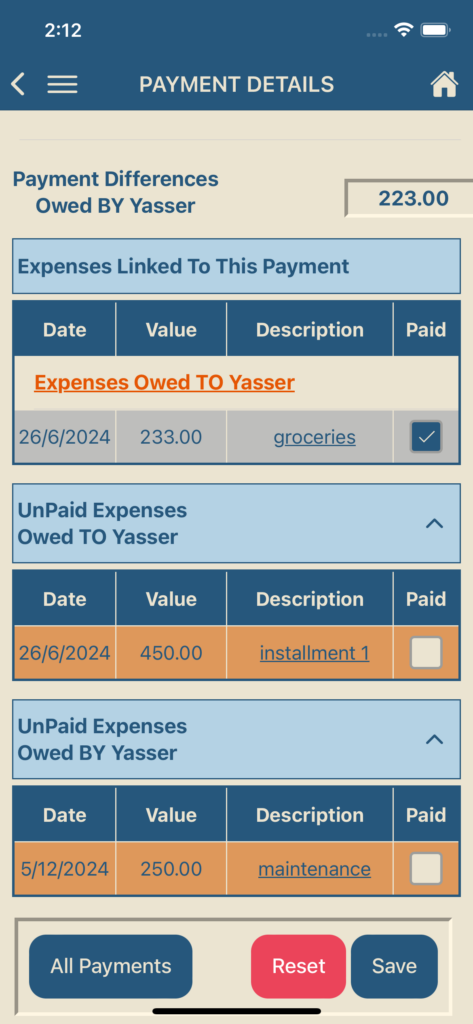
Whether you made a payment to another party or a payment was made to you, save each payment details (date, amount, notes,…etc) for each party, along with the expenses related to that payment. This will show you how much of the paid amount covered chosen expenses and if there is still a pending amount owed to/by the other party.
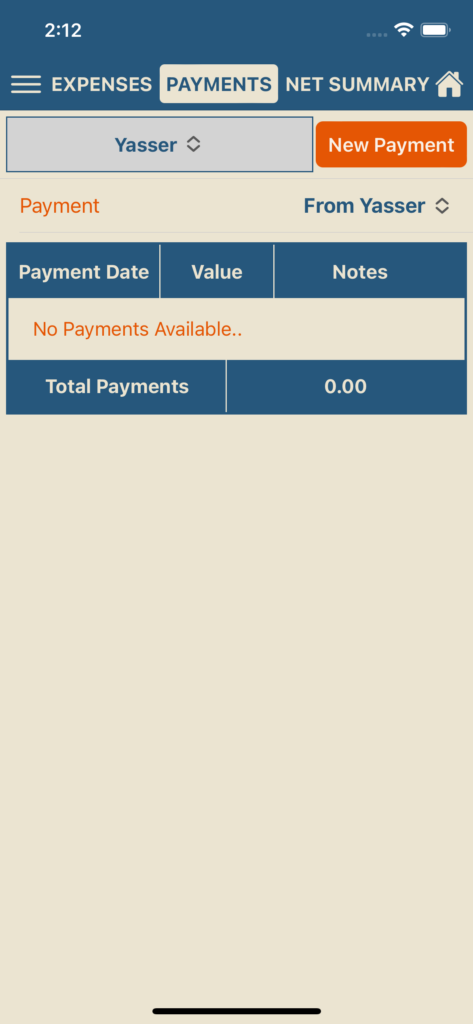
Similar to Expenses list, you can view a list of all payments saved, made either to or from a party, on your “PAYMENTS” screen, with the ability to edit/delete any of these recorded payments. You can also filter out displayed expenses by their date, using the Filter button.
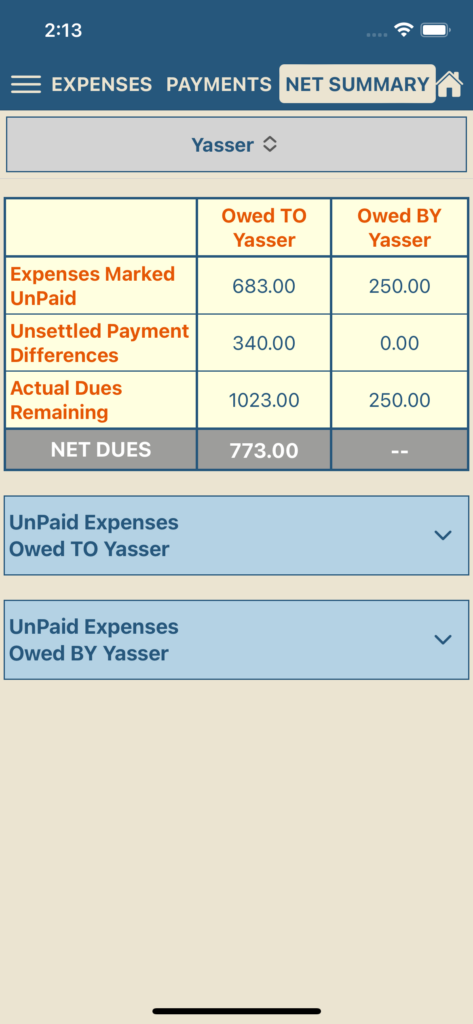
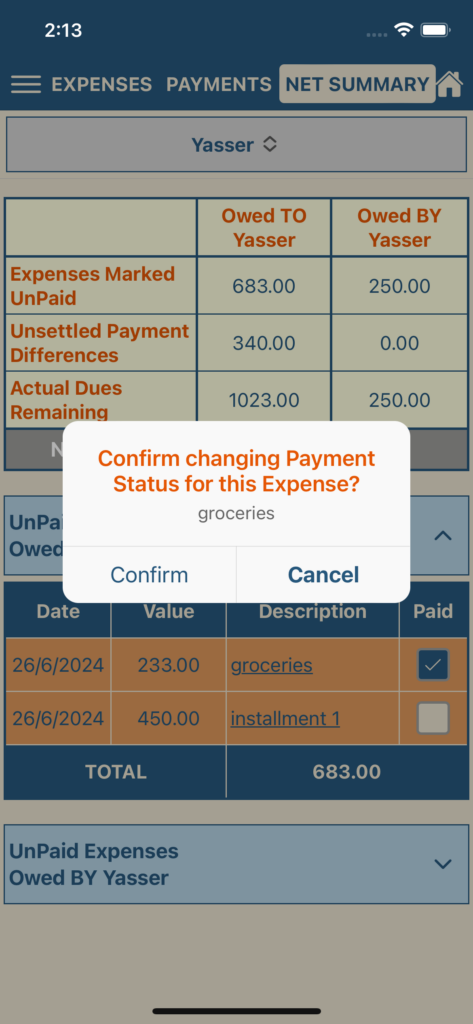
After saving your parties, their related expesnes (whether owed by or to them), and related payments (whether paid by or to them), you can easily find a “NET SUMMARY” screen for each party. Here you can view a quick summary of all dues owed by or to that party and the Net value owed to whom. On this screen, you can also find a list of all expenses recorded as unpaid and the ability to edit the payment status of these expenses, along with updating the Net values immediately.
For inquiries or more support, contact us at support@solutions-booth.com